Free
App Store Connect
See how people discover your app.
First-time downloads · ASC12,840 DLFollow your store trends
For indie developers growing their apps
App Store Connect data, right on your iPhone.
Choose your metrics. Arrange your cards. Save your layout.
Keep track of multiple apps in a view that works for you.
Free core features GA4 integration and before-and-after comparisons require Pro. A one-month free trial is planned.
Less time checking.More time growing.
SCROLL01 / YOUR DASHBOARD Free
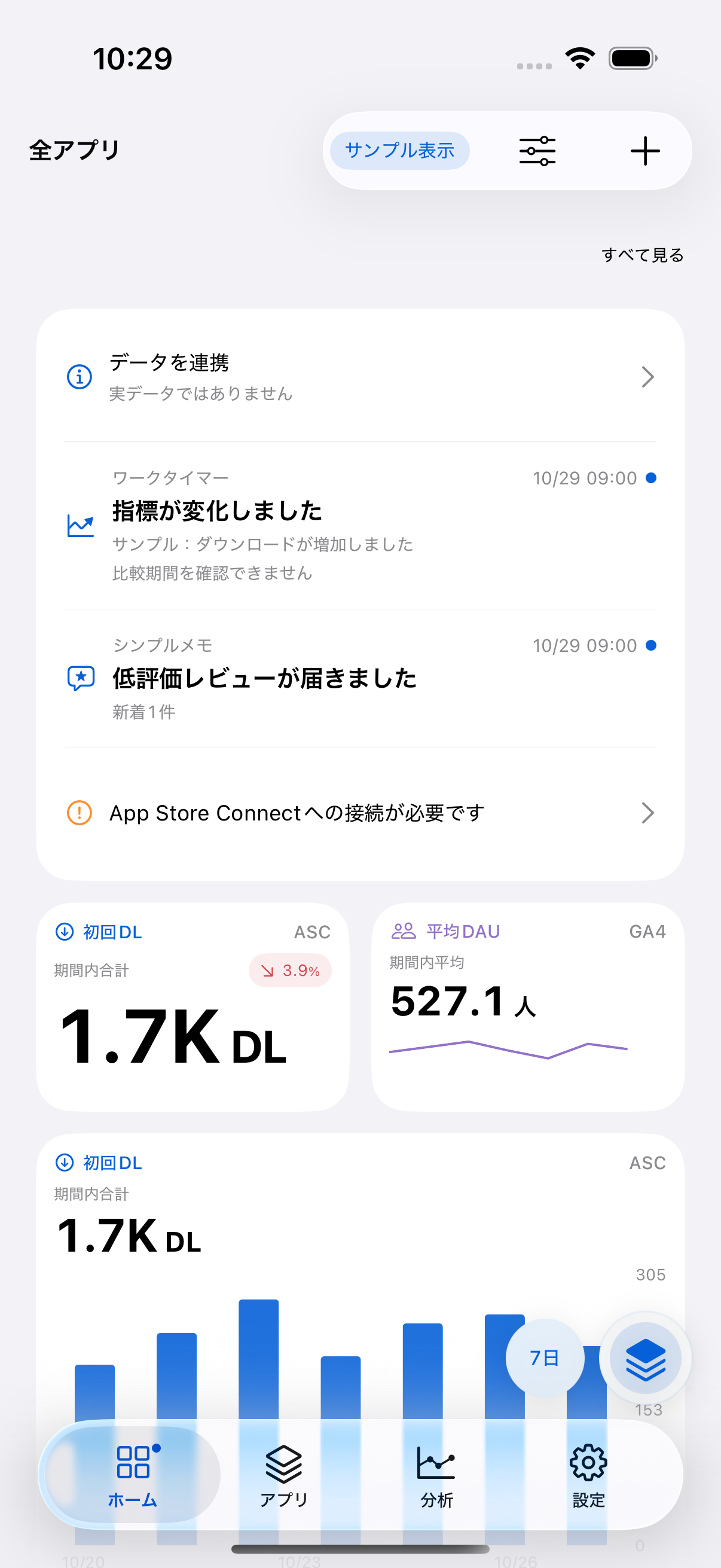
Your morning check-in or the metric you are watching today. Add the cards you need, choose a number, mini chart, or full-width chart, then press and hold to reorder. Save a layout that works for you.
Tap a card to explore that metric. Saving your layout is free.
02 / TWO PERSPECTIVES
Before the download. After the first launch.
ASC and GA4 cards, together on your dashboard.
See what is changing, with each data source clearly identified.
See how people discover your app.
Go deeper into how your app is used.
Link ASC and GA4 to the same app and show their metrics in separate cards. You can also use GA4 on its own. Metric definitions and populations differ by source. GA4 integration is planned as a Pro feature.
03 / FROM OVERVIEW TO DETAIL Free
Start with the big picture, then open an app.
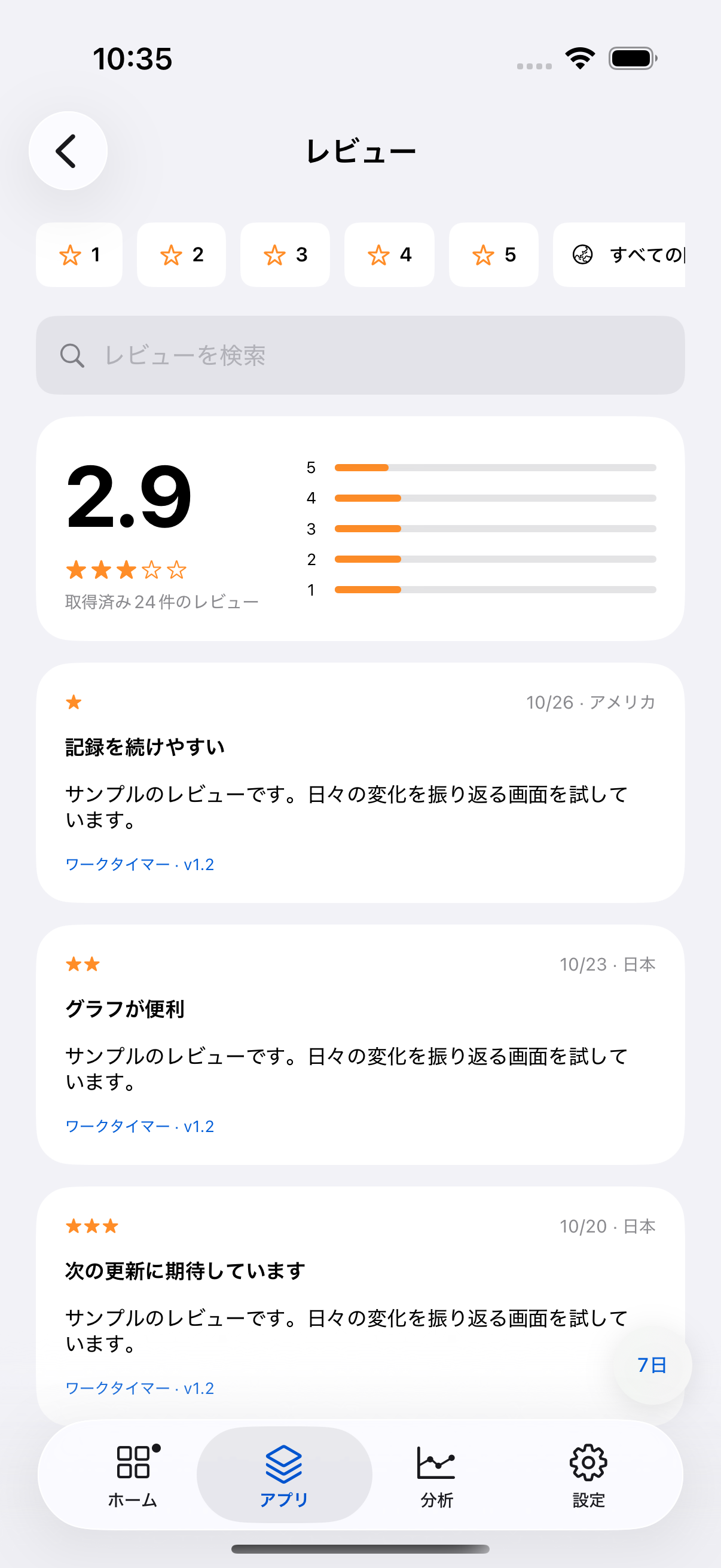
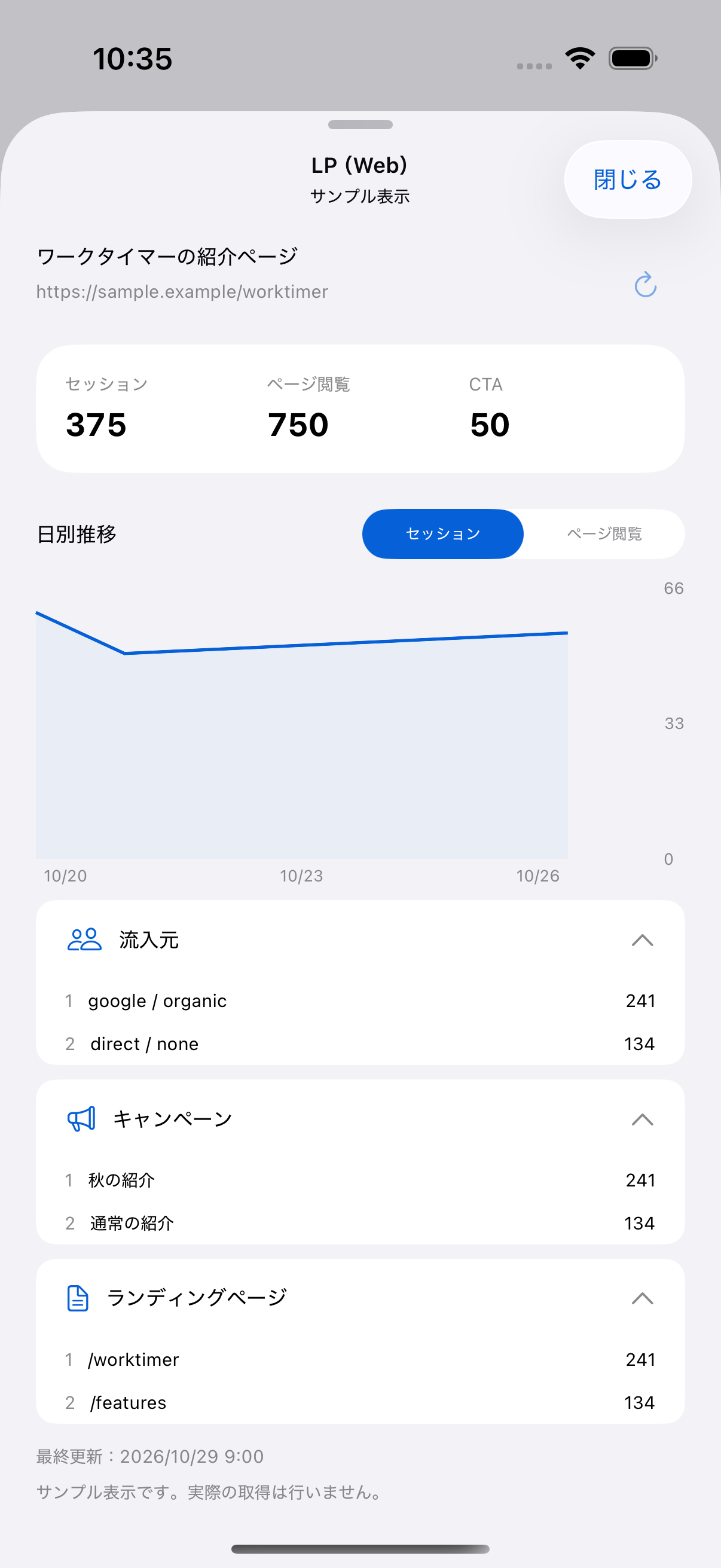
Trends, breakdowns, reviews, and keywords.
Understand what is happening, one app at a time.
See multiple apps at a glance.
Choose an app to explore its metrics.
Move between trends, breakdowns, and reviews.
Illustrative screens · Sample app names and values. Standard period comparisons and ASC usage by app version are free.
Save keywords by country and view indicative positions and observation history based on iTunes search results. These are not guaranteed to match actual search rankings in the App Store app.
Set a daily reminder with an on-device local notification. You can also receive notifications about changes and new low-rated reviews identified after data is fetched. AppMonitor does not provide continuous monitoring or unattended scheduled fetching.
04 / VERSION COMPARISON Pro
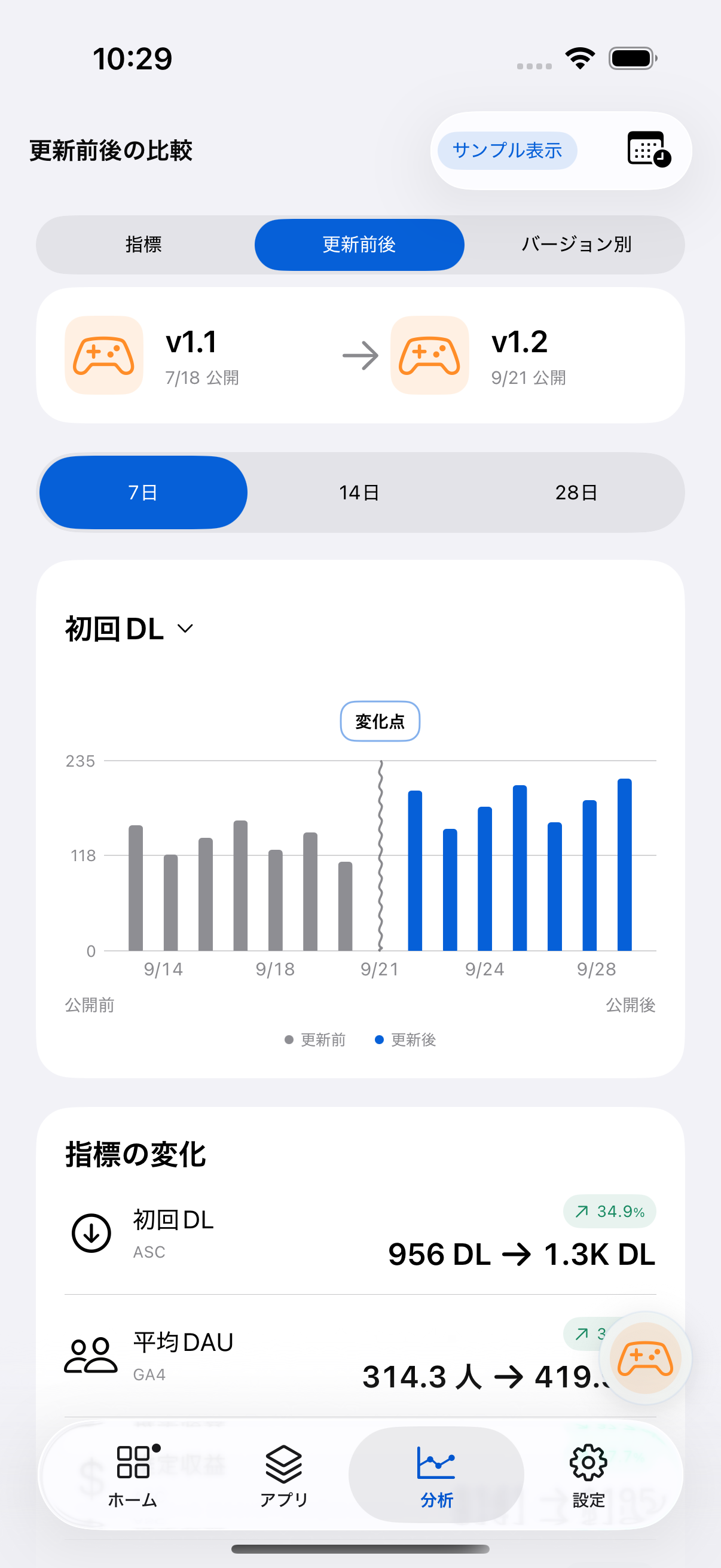
How did your metrics move after an update?
Compare 7, 14, or 28 days before and after a reference date, alongside the version changes. Go beyond your everyday period comparison.
Standard comparisons with the previous period are free.
Before-and-after comparisons and version changes require Pro.
ASC usage by app version is free.
05 / YOUR DATA, YOUR DEVICE
App Store Connect API keys and Google refresh tokens are stored in your iPhone Keychain. Your device connects directly to Apple and Google APIs.
Fetched reports and card layouts are stored on your device. iCloud sync is not currently supported. Support inquiries and Pro free-trial management send the necessary information to a server separately.
How we handle your data06 / START SIMPLE
Core features for your daily check-in are free.
Add GA4 and before-and-after comparisons with AppMonitor Pro.
Planned prices for Japan · Preparing for release
¥0 Core features
The same Pro features with every plan.
The annual plan is billed in full each year. Check the App Store confirmation screen before purchasing for the actual price, currency, and billing terms.
Purchases, restoration, and cancellationStarts when you choose “Try free for one month.”
No automatic charge when your trial ends.
Once per App Store Apple Account. After the trial, you can continue using the free features without purchasing.
Read the trial conditions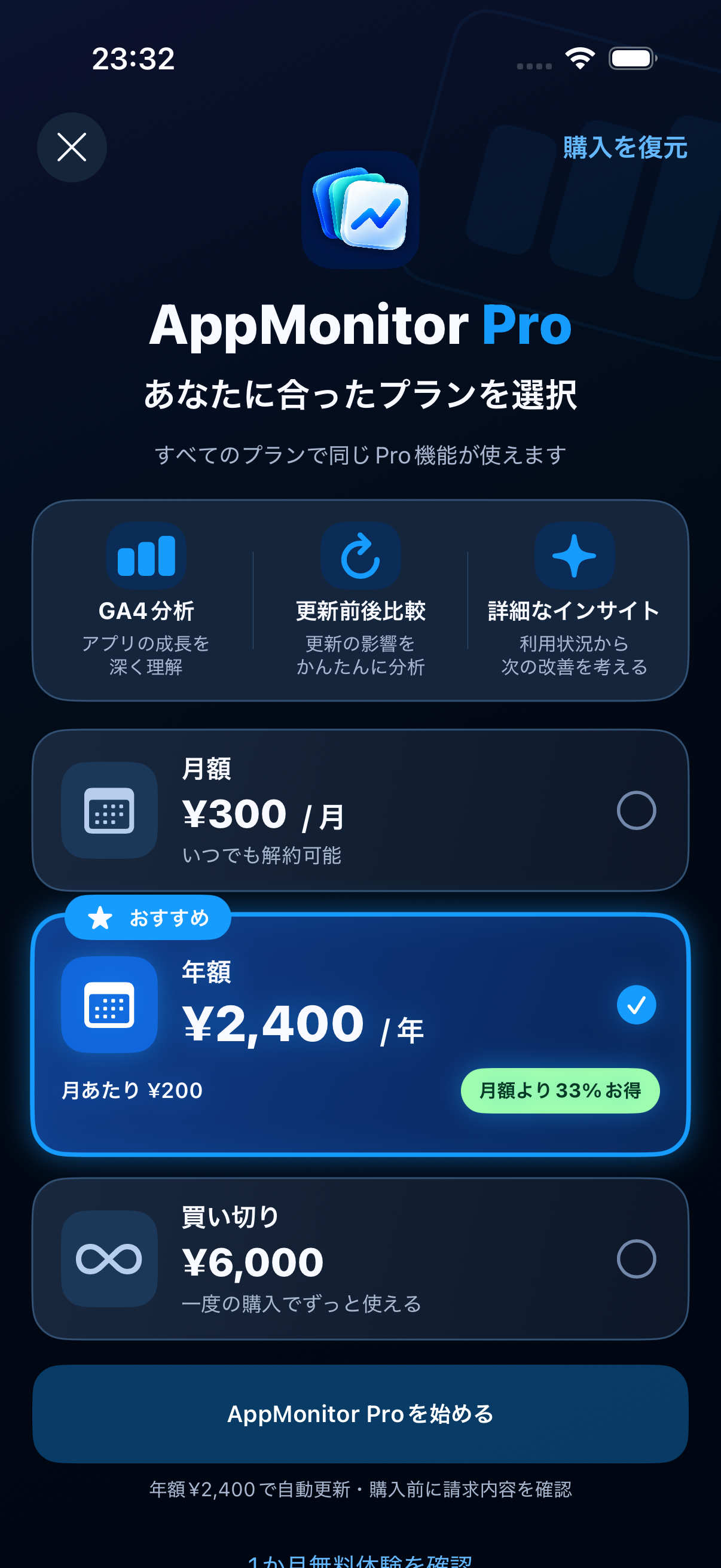
07 / GETTING STARTED
Explore screens and cards
without connecting an account.
Use an ASC API key or Google sign-in
to choose apps and sources you can access.
Add and reorder cards
to build your own dashboard.
Pro · Planned GA4 is optional. Choose iOS, web, or Android data sources. You can also link landing-page views and CTAs to an app.
Yes. Sample mode lets you explore the dashboard, card editor, analytics, and more using fictional data. Connect an ASC or GA4 account you are authorized to access when you want to view real data.
ASC integration, multiple-app views, standard period comparisons, trends, breakdowns, ASC usage by app version, review browsing, card editing, reordering, and layout saving are free. GA4 integration, before-and-after comparisons, and version changes are planned Pro features.
Planned prices in Japan are ¥300 monthly, ¥2,400 annually, or ¥6,000 for a one-time purchase. All three options include the same Pro features. Monthly and annual plans auto-renew; the one-time option is a single purchase. The annual price is charged in full. Check the App Store confirmation screen for the actual price and billing terms before purchasing.
No. We plan to offer a one-month trial without a purchase. It lasts one calendar month from your explicit start action, once per App Store Apple Account. There is no automatic charge; without a purchase, you return to the free features. You can explicitly start the trial even if you begin with GA4 alone. Starting, checking, and carrying over a trial requires an internet connection.
Comparison with the immediately preceding period of the same length is free. Pro compares 7, 14, or 28 days before and after a reference date, alongside version changes. It does not establish a causal relationship between an update and a metric change. ASC usage by app version is free.
No. Apple and Google may delay or revise reports, and data availability differs. Check the last-fetch time and connection settings for status. No reported activity is treated as zero only where fetching has been confirmed successful and the metric-specific conditions are met. Unconfirmed data, fetch failures, and data awaiting processing remain distinct.
Yes. Link ASC and GA4 to the same app and place their metrics in separate cards on one dashboard. Each card identifies its source. AppMonitor does not combine metrics with different definitions or populations into a single metric. GA4-only use is also supported. GA4 integration requires Pro.
ASC private keys and Google refresh tokens are stored in the device Keychain. Fetched data and card layouts stay on your device. Support and trial management send the necessary information to a server. See our Privacy Policy for details. iCloud sync is not currently supported.
Disconnecting ASC or Google removes credentials but keeps fetched data. Deleting ASC data is a separate confirmation action. Trial expiry and purchase expiry do not delete credentials, fetched data, or layouts. Saved GA4 data remains viewable with its last-fetch time; new fetching, configuration changes, and before-and-after comparisons require Pro.
Positions are indicative values from iTunes search results and may differ from actual App Store app rankings. If enabled, automatic checks run on app launch and return to the foreground; daily fetching is not guaranteed. Daily reminders are local notifications. AppMonitor does not fetch data at the notification time or continuously monitor it on a server.
MAKE IT YOURS.
Start with the numbers that matter.
Get launch updatesCore features are free. GA4 integration and before-and-after comparisons require Pro.
The download URL and launch date have not been announced. Sign up by email to hear when AppMonitor launches.